


Should I Hire a Web Designer?

Updated: Jun 13
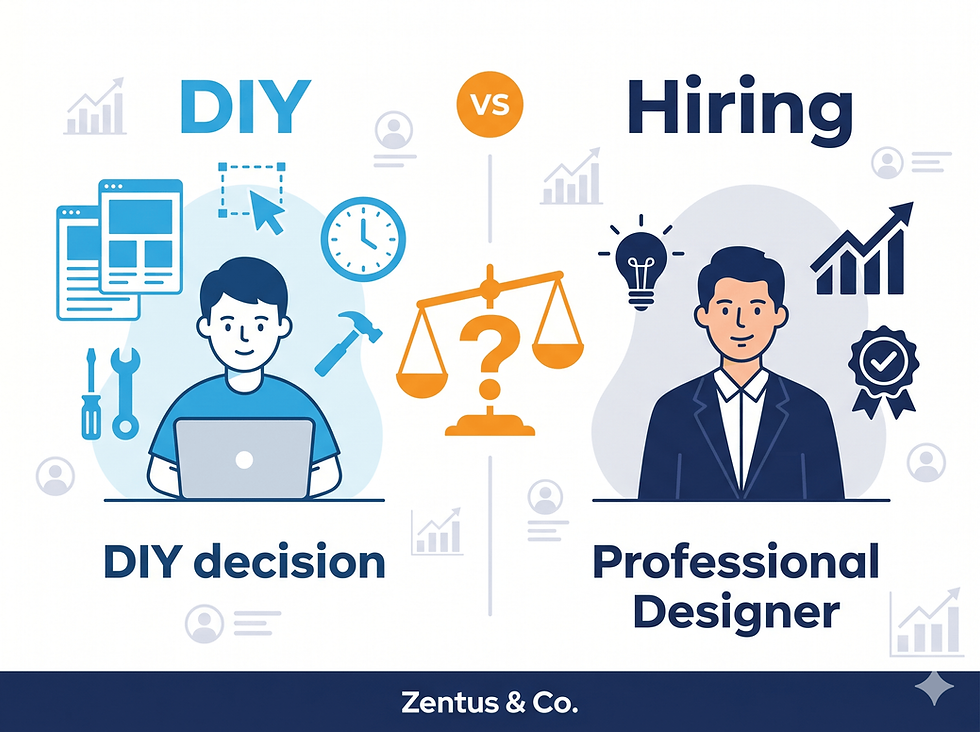
You're starting or growing a business, and you need a website. The question keeping you up at night isn't whether you need one—you know you do. It's whether you should spend 20-40 hours learning to build it yourself with a DIY platform, or invest $2,000-$15,000 hiring someone to do it for you. Both paths have vocal advocates. Both can work. And both can become expensive mistakes if chosen for the wrong reasons.
This guide won't give you a lazy "it depends" answer. Instead, you'll get a clear decision framework based on your business stage, budget reality, revenue model, and growth timeline. We'll cover what most web design agencies won't tell you honestly: when building your own website actually makes perfect sense, when it becomes a costly distraction, and when the hybrid approach (hire for some parts, DIY others) is your best move in 2026.
By the end, you'll know exactly which path fits your specific situation—and you'll have a practical framework to make the decision with confidence. If you're looking for expert guidance on professional web design, our Wix Studio website design services are built specifically for small businesses navigating this exact decision point.
Should you hire a web designer in 2026? Hire a professional if your business generates over $5,000/month in revenue, serves customers who expect premium brand perception, or operates in a competitive market where trust and credibility directly impact sales. Build it yourself if you're pre-revenue, testing a business idea, have more time than money, and plan to validate your concept before investing heavily. The hybrid approach—hiring a designer for strategy and core pages, then maintaining it yourself—works best for established small businesses with $2,000-$8,000 revenue who need professional quality but have ongoing content needs. Your hourly rate and opportunity cost matter more than the sticker price.
Should I Hire a Web Designer or Do It Myself?
This isn't actually a question about websites. It's a question about resource allocation, opportunity cost, and business priorities. The right answer for a solopreneur launching a coaching practice is completely different from the right answer for a retail store opening a second location.
Is It Worth Hiring a Web Designer in 2026?
Hiring a web designer is worth the investment when the cost of not having a professional website exceeds the cost of hiring one. That break-even point happens faster than most people expect.
Consider this framework: if your business generates $5,000 or more per month in revenue, and a professional website could increase conversions by even 10%, that's $500/month in additional revenue, or $6,000 annually. A professional website design from an agency typically costs between $3,000-$8,000 for a small business site. The investment pays for itself in 6-12 months through improved conversion rates, faster page speeds, better mobile experience, and stronger brand credibility.
The value multiplies if you operate in a trust-sensitive industry. Law firms, medical practices, financial advisors, luxury retail, real estate agencies, and B2B service providers lose potential clients within 3-5 seconds if their website looks outdated, loads slowly, or feels generic. In these sectors, your website isn't just information—it's a credibility filter. One lost high-value client because of a DIY-looking website costs more than hiring a designer would have.
But if you're pre-revenue, testing a business idea, or bootstrapping with under $10,000 in total capital, spending $5,000 on a website before validating your business model is often premature. In this scenario, a DIY approach using modern tools like Wix Studio, Squarespace, or Webflow makes more sense. Launch fast, test your offer, generate revenue, then upgrade when you have proof of concept and cash flow.
Timing matters as much as budget. If you need a website live in 2-3 weeks for a product launch, event, or funding deadline, hiring a designer who can deliver in that window (and many can't) might not be realistic. DIY platforms can get you live in days if you use a quality template and focus on core pages only.
Can I Really Build a Professional Website Myself?
Yes—but "professional" has different standards depending on your industry, audience, and competition. A clean, fast, mobile-responsive website built on Wix Studio or Squarespace in 2026 can absolutely look professional for many business types. Modern templates are designed by actual designers, include responsive layouts, and handle technical details like mobile optimization and page speed automatically.
Where DIY typically falls short isn't the technology—it's the strategy, copywriting, user experience decisions, and subtle design details that communicate brand positioning. A template can give you a beautiful layout, but it won't write compelling headlines, structure your service offerings for clarity, optimize your call-to-action placement, or create a visual hierarchy that guides visitors toward conversion.
Most business owners building their own sites focus on the wrong things. They spend hours choosing fonts and adjusting colors (things templates handle well) and almost no time on the high-impact elements: clear value propositions, benefit-focused copy, strategic page structure, trust signals, and conversion path optimization. These are the gaps where DIY sites lose customers.
If you have strong copywriting skills, understand basic UX principles, and can objectively evaluate whether your content communicates value clearly, DIY can work well. If writing isn't your strength and you're not sure what information goes on which pages, you'll likely build something that looks decent but doesn't convert visitors into customers.
The middle path many overlook: hire a designer or strategist for a few hours of consulting to create your site structure, write core page copy, and set up the strategic foundation—then build it yourself using their blueprint. This costs $500-$1,500 instead of $5,000+ and gives you professional strategy without ongoing designer fees.
What Do Web Designers Do That I Cannot Do Myself?
Professional web designers bring three things that are difficult to self-teach quickly: strategic thinking, objective perspective, and specialized technical knowledge.
Strategic thinking means understanding how different business models need different website structures. An ecommerce store needs different navigation, content hierarchy, and conversion paths than a service business or a SaaS product. Designers experienced in your industry know what pages you need, what information goes where, and how to structure the user journey from first visit to purchase or contact. They've seen what works and what doesn't across dozens of similar businesses.
Objective perspective is underrated but crucial. When you build your own site, you know too much about your business. You skip explanations that seem obvious to you but confuse first-time visitors. You organize pages based on your internal business structure instead of how customers think. You write copy that makes sense to you but uses jargon customers don't search for. A designer (especially one who includes strategy or copywriting) sees your business through fresh eyes and asks the questions confused visitors would ask.
Specialized technical knowledge covers performance optimization, accessibility standards, SEO technical setup, cross-browser compatibility, and advanced responsive design. DIY builders handle the basics automatically, but professionals know how to optimize image compression for speed without quality loss, structure heading tags for SEO, implement schema markup for rich snippets, ensure ADA compliance for accessibility, and troubleshoot conflicts between different platform features.
You can learn all of this yourself—but it takes months of study and practice. The question isn't "can I?" but "should I spend my time on this instead of revenue-generating activities?" If you're a business owner who loves design, enjoys learning web technology, and finds the process energizing, DIY might be perfect. If it drains you and distracts from your core business, hire it out.

Cost to Hire Web Designer vs DIY Website Builder
The real cost comparison isn't just the sticker price—it's total cost of ownership over 12-24 months, including your time, opportunity cost, tool subscriptions, and potential revenue impact.
How Much Does It Cost to Hire a Web Designer in 2026?
Web designer pricing varies dramatically based on experience level, location, scope, and what's included. Here's the realistic breakdown for small business websites in 2026:
Freelance designer (beginner level): $800-$2,500 for a 5-7 page small business website. Delivery timeline: 3-6 weeks. You'll likely need to provide all content (copy, images). Revisions may be limited. Quality is inconsistent—some beginners are excellent, others are learning on your project.
Experienced freelance designer: $2,500-$6,000 for a custom small business site with strategic input, professional copywriting assistance, SEO basics, and ongoing support. Timeline: 4-8 weeks. This tier usually includes strategy calls, user experience planning, and multiple revision rounds.
Specialized Wix Studio agency (like Zentus & Co.): $3,000-$8,000 for a complete business website with custom design, SEO optimization, mobile-first approach, content strategy, and post-launch support. Timeline: 3-6 weeks. This includes platform expertise, ecommerce setup if needed, and training on how to maintain your site. Check our detailed pricing breakdown for transparent cost expectations.
Full-service web design agency: $8,000-$25,000+ for comprehensive projects including brand strategy, custom development, advanced functionality, integrations, content creation, and marketing setup. Timeline: 8-16 weeks. This tier makes sense for established businesses with complex needs or high revenue where website performance directly impacts bottom line.
Most small businesses fall into the $3,000-$6,000 range for professional work that includes strategy, design, and implementation. Paying less often means you're providing more input yourself (content, strategy, direction). Paying more gets you specialized expertise, advanced features, or full-service support.
The often-overlooked cost: redesigns. If you hire cheap and the site doesn't work, you'll pay to fix or rebuild it within 12-18 months. That $1,200 bargain site that doesn't convert becomes a $4,000 total investment once you hire someone competent to rebuild it properly.
Is a DIY Website Builder Really Cheaper Than Hiring?
On direct costs alone, yes—dramatically cheaper. But total cost of ownership tells a more nuanced story.
DIY direct costs for a Wix Studio site:
Platform subscription: $27-$45/month ($324-$540/year)
Premium template (optional): $0-$150 one-time
Stock photos (if needed): $0-$200 (or use free sources like Unsplash)
Apps and plugins: $0-$30/month ($0-$360/year)
First-year total: $500-$1,100
DIY indirect costs (often ignored):
Your time: 20-40 hours to build initial site (planning, building, content creation, learning platform)
Opportunity cost: What revenue could you have generated in those 20-40 hours doing client work or business development?
Learning curve: Additional 5-10 hours learning platform features, troubleshooting issues, watching tutorials
Ongoing maintenance: 2-4 hours monthly updating content, troubleshooting, making changes (24-48 hours annually)
The opportunity cost calculation most people skip:
If your time is worth $50/hour (a modest estimate for most business owners), and you spend 30 hours building your site, that's $1,500 in opportunity cost. Add $540 in platform fees and you're at $2,040—nearly the cost of hiring a freelancer, but you did all the work yourself and may have built something less effective than a professional would deliver.
If your time is worth $100/hour (common for established consultants, coaches, skilled tradespeople, healthcare providers), those same 30 hours cost $3,000 in opportunity cost plus platform fees—now you're at $3,500+ total cost, equal to or more than hiring a mid-tier professional who would deliver better results in less time.
Where DIY genuinely wins on cost:
Pre-revenue businesses with no cash flow (opportunity cost is theoretical since there's no immediate revenue to lose)
Businesses where the owner genuinely enjoys web design and finds it energizing rather than draining
Projects with very limited scope (single landing page, simple portfolio, event microsite)
Businesses with ongoing content needs where paying a designer $150/hour for routine updates doesn't make sense
Businesses with technical founders who already understand web development fundamentals

What Hidden Costs Come With DIY Website Builders?
The subscription fee is transparent—it's the downstream costs that surprise people 6-12 months after launch.
Plugin and app creep: You start with a basic plan, then realize you need booking functionality ($15/month), email marketing integration ($20/month), advanced analytics ($10/month), and premium forms ($8/month). Your $27/month site is now $80/month, or $960 annually vs the initial $324 you budgeted.
Premium template limitations: Free and low-cost templates often lack specific features your business model needs. You discover three months in that your template doesn't support the product filter you need for ecommerce, or the layout breaks when you add more than five team members, or it doesn't have a blog layout that works for your content. Now you're paying a designer $500-$1,200 to customize it or migrate to a different template.
Time cost of maintenance and updates: Initial build time is one thing—ongoing maintenance is another. Every time you want to add a new service page, update pricing, change homepage messaging, or refresh your portfolio, you're spending 1-3 hours figuring out how to maintain design consistency and avoid breaking things. Over a year, this adds up to 20-30+ hours. For business owners billing $75-$150/hour, that's $1,500-$4,500 in opportunity cost annually.
The redesign cycle: Many DIY sites need complete rebuilds within 18-24 months because the business grew beyond what the original site can support, or the owner realizes the DIY version isn't converting visitors effectively. That's $3,000-$6,000 for a professional redesign—a cost that could have been avoided by starting with professional design that scales with growth.
SEO and performance optimization: DIY builders handle basics automatically, but advanced optimization requires knowledge most business owners don't have. Poor image optimization slows your site. Missing schema markup means you don't appear in rich snippets. Weak site structure hurts search rankings. Fixing these issues 6-12 months later often requires hiring an SEO specialist ($800-$2,000) or a designer to rebuild with proper optimization, costs you didn't budget for initially.
The credibility tax: This is hardest to measure but often most expensive. How many potential customers visit your DIY site, sense it looks "template-y" or unclear, and click away to a competitor with a more professional site? If you lose even one $3,000 client or customer per quarter because your website didn't inspire confidence, that's $12,000 in lost revenue annually—far more than professional design would have cost.
None of this means DIY is wrong—it means you need to budget realistically for total cost of ownership, not just the initial subscription fee.

When to Hire a Web Designer for Small Business?
Timing matters as much as budget. There are inflection points in business growth where professional web design stops being optional and becomes a strategic necessity.
Should I Hire a Web Designer When Starting a New Business?
For most new businesses, no—unless you have significant startup capital and a proven business model you're replicating.
Start with DIY if:
You're pre-revenue and validating your business idea
Your total startup budget is under $15,000
You need to launch in 1-2 weeks to test demand
You're bootstrapping and preserving cash for inventory, equipment, or marketing
Your business model might pivot in the next 6 months
You're comfortable with technology and willing to learn
The goal at business launch isn't a perfect website—it's a functional one that lets you start selling, testing messaging, and gathering customer feedback. A clean 3-5 page DIY site built in a weekend can validate whether your offer has demand. Once you have revenue and proof of concept, invest in professional design.
Hire a designer at launch if:
You're entering a crowded, trust-sensitive market (legal, medical, financial services, luxury goods, real estate)
You have startup funding or business loans that include marketing budget
Your business model requires immediate credibility (high-ticket services, B2B sales, premium products)
You're leaving a corporate job to start a consultancy and need to match your previous professional level
You have zero interest in learning web design and it would distract from your launch activities
The clearest signal you should hire at launch: if a weak website could cost you your first 3-5 customers, and those customers are worth $2,000+ each, the ROI on professional design is immediate. One prevented lost sale pays for a significant portion of design costs.
When Is DIY Good Enough for a Small Business Website?
DIY remains sufficient (and smart) longer than most agencies will admit, as long as certain conditions stay true.
DIY continues working well when:
Your business generates under $5,000/month in revenue
You acquire most customers through in-person networking, referrals, or social media—not website traffic
Your website functions primarily as a digital business card to validate you're legitimate, not as a lead generation tool
You're in a creative field where building your own site demonstrates your capabilities (designers, developers, digital marketers)
Your competitive advantage is personal service and relationship, not brand polish
You enjoy updating your site and it doesn't feel like a burden
Many successful small businesses run on clean, simple DIY sites for years because their growth engine is elsewhere. If your website's job is to confirm you're real and provide basic contact information, not to generate leads or close sales, DIY can remain perfectly adequate even as you scale to $100,000+ in annual revenue.
DIY stops being sufficient when:
You're losing deals to competitors with more professional-looking sites
You spend more than 3 hours per month fighting with your website instead of running your business
Your revenue depends on organic Google traffic and your site isn't ranking
You're expanding into a second service line or product category and your site structure can't accommodate it cleanly
Customer questions during sales calls suggest your website isn't explaining your offer clearly
You're embarrassed to send people to your site because it doesn't match the quality of your work
These signs mean your website has become a business growth limitation. At that point, the cost of not upgrading exceeds the cost of hiring professional help.
What Are Signs You Need Professional Web Design Help?
Certain symptoms indicate DIY has reached its limit for your business.
Conversion symptoms: You're getting website traffic but very few contact form submissions, quote requests, or purchases. This often means your site has a user experience problem, unclear value proposition, or weak calls-to-action that a professional could diagnose and fix.
Time burden symptoms: You avoid updating your website because it's frustrating and time-consuming. You have a backlog of changes you want to make but never find time for. You dread the thought of adding new content or pages. When website maintenance becomes a source of stress rather than a simple task, outsourcing it returns time to revenue-generating activities.
Competitive pressure symptoms: You're losing bids to competitors, and when you review their websites, they're clearly more professional, easier to navigate, and more convincing. In competitive markets, the website quality gap between you and competitors directly impacts your win rate.
Technical symptoms: Your site loads slowly (over 3 seconds), looks broken on mobile devices, isn't appearing in Google search results, or has features that stopped working after platform updates. These technical issues require specialized knowledge to diagnose and fix properly.
Growth limitation symptoms: You want to add ecommerce but your current site can't support it cleanly. You need multi-language support for international customers. You need advanced booking systems, customer portals, or integrations with business software. Your business has outgrown what DIY tools can handle elegantly.
Brand evolution symptoms: Your business has matured, your pricing has increased, you're targeting larger clients or premium customers, but your website still looks like it did when you were starting out. Brand-market fit matters—if your website aesthetic doesn't match your target customer's expectations, you're creating cognitive dissonance that hurts conversions.
If you're experiencing two or more of these symptoms simultaneously, professional design help will deliver ROI faster than continuing to struggle with DIY.
DIY Website Builder Pros and Cons in 2026
Modern website builders have improved dramatically in the past five years. Understanding their current capabilities vs limitations helps set realistic expectations.
What Are the Biggest Advantages of Building Your Own Website?
DIY website builders in 2026 offer genuine benefits that weren't possible even five years ago.
Speed to launch: You can have a functional 5-page business website live in 48 hours if you use a quality template and focus on essential content only. For time-sensitive launches—events, product drops, seasonal businesses, funding deadlines—this speed advantage is significant. Professional designers typically need 3-8 weeks minimum.
Cost efficiency for simple sites: For straightforward business websites with standard pages (Home, About, Services, Contact), DIY costs $500-$1,000 in the first year vs $3,000-$6,000 hiring a designer. If your needs are basic and your budget is tight, that $2,500-$5,500 savings can be invested in inventory, marketing, or equipment.
Direct control and flexibility: You can make changes immediately without waiting for a designer's schedule or paying hourly update fees. Want to change a headline, swap a photo, or update pricing? You can do it in five minutes instead of emailing a designer, waiting for their availability, and paying $150 for a 20-minute task.
Learning and ownership: Building your own site teaches you how your website works, making you self-sufficient for routine maintenance. You understand your platform's capabilities and limitations firsthand. This knowledge helps you make better decisions about upgrades and changes over time.
Modern templates are actually good: Premium templates from Wix Studio, Squarespace, and Webflow in 2026 are designed by professionals, mobile-responsive, accessible, and aesthetically current. You're not starting from scratch—you're customizing professionally-designed frameworks. The visual quality gap between templates and custom design has narrowed significantly.
AI-assisted design tools: Platforms now include AI copywriting assistants, image generators, layout suggestions, and automated SEO recommendations. These tools don't replace professional expertise, but they raise the floor of DIY quality significantly compared to five years ago.
No technical hosting complexity: DIY builders handle security updates, hosting, SSL certificates, backups, and technical maintenance automatically. You don't need to understand web servers, FTP, databases, or code. This eliminates an entire category of technical burden that custom websites require.
For businesses with straightforward needs, limited budgets, and owners comfortable with technology, these advantages make DIY a smart choice that can serve you well for years.
What Are the Main Disadvantages of DIY Website Builders?
Despite improvements, DIY platforms have inherent limitations that create problems for certain business types and growth stages.
Strategy and messaging gaps: Templates provide layout, not strategy. Most DIY sites fail not because they look bad but because they don't communicate value clearly. You get no professional input on what pages you need, what content goes where, what your value proposition should emphasize, or how to structure the user journey. Business owners building their own sites often bury important information, use unclear navigation, write feature-focused copy instead of benefit-focused copy, and create confusing user paths.
Template constraints: While templates are better than ever, they're still templates. You're constrained by the layout options, component library, and structural decisions the template designer made. If your business model needs something the template doesn't support, you're either compromising your requirements or spending significant time trying to force the template to do something it wasn't designed for.
Learning curve time cost: Most business owners underestimate how long it takes to build a website. The platform itself is learnable in a few hours, but making good design decisions, writing effective copy, creating clear navigation, optimizing images, setting up SEO properly, and troubleshooting when things break takes 20-40 hours minimum for someone doing it the first time. That's a full work week or more when you could be serving customers or developing business.
Ongoing maintenance burden: Every platform update, every new page you want to add, every content refresh requires you to remember how your platform works, maintain design consistency, and avoid breaking things. Over time, this ongoing burden adds up to significant opportunity cost—hours you spend managing your website instead of growing your business.
SEO and performance limitations: DIY builders handle basic SEO automatically, but advanced optimization requires technical knowledge. Most business owners don't properly implement schema markup, optimize heading tag hierarchy, compress images effectively, write meta descriptions strategically, or structure internal linking for SEO value. This doesn't break your site, but it means you rank lower in search results than you could with professional optimization.
Conversion rate gaps: Professional designers A/B test layouts, understand psychological principles of persuasion, optimize call-to-action placement based on eye-tracking research, and structure pages to guide users toward conversion. DIY builders provide the tools, but using them strategically requires expertise most business owners don't have. The result: DIY sites often convert 30-50% worse than professionally optimized sites, meaning you need more traffic to generate the same number of leads or sales.
Limited customization for complex needs: If you need advanced ecommerce features, custom booking workflows, multi-user portals, complex integrations with business software, or specialized functionality, DIY builders either can't support it or require workarounds that break easily during platform updates.
These limitations don't make DIY wrong—they make it important to assess honestly whether they'll constrain your business goals.
Can DIY Websites Rank on Google Like Professional Sites?
Yes, but with significant caveats. The platform doesn't determine rankings—content quality, technical optimization, backlinks, and user engagement do.
Where DIY sites rank well:
Local service businesses targeting location-specific keywords (plumber, dentist, yoga studio + city name)
Niche topics with low competition where content quality matters more than technical perfection
Businesses with strong content marketing strategies that regularly publish valuable blog posts, guides, or resources
Sites built on modern platforms (Wix Studio, Squarespace, Webflow) that handle technical SEO basics automatically
Where DIY sites struggle to rank:
Competitive industries where top-ranking competitors have professionally optimized sites with advanced technical SEO
National or international keywords with high search volume and commercial intent
Topics where top-ranking sites have strong backlink profiles, comprehensive content depth, and expert-level optimization
Ecommerce categories where Amazon, established brands, and well-funded competitors dominate results
The biggest SEO gap between DIY and professional sites isn't the platform—it's strategy and execution. Professional SEO includes:
Keyword research and targeting: Knowing which keywords to target based on search volume, competition, and commercial intent
Content strategy and depth: Creating comprehensive content that thoroughly answers user questions and establishes topical authority
Technical optimization: Proper heading tag hierarchy, schema markup, optimized URLs, image compression, internal linking structure, and page speed optimization
Backlink building: Earning links from other reputable sites, which remains a critical ranking factor
DIY site builders can do all of this—but most business owners building their own sites don't know how, don't have time, or don't prioritize it. A professional brings this expertise as standard practice.
The realistic DIY SEO path: You can rank well with a DIY site if you invest time learning basic SEO principles, create genuinely useful content, optimize technical elements properly, and build your site on a modern platform. But recognize that learning and executing this well takes significant time—time a professional would handle as part of their service. For comprehensive SEO setup and strategy, our Wix SEO services include technical optimization, keyword targeting, and ongoing performance tracking built into every website we design.

How to Choose Between DIY Website Builder and Hiring a Designer?
Move past the generic "it depends" advice. Here's a practical decision framework based on business fundamentals.
What Questions Should I Ask Before Choosing DIY or Hiring?
Answer these questions honestly to clarify which path fits your situation:
Budget and cash flow questions:
What's my total available budget for web design? (Not ideal budget—actual available cash or credit)
What's my opportunity cost? (What's my hourly rate or what could I earn spending 30 hours on client work instead of website building?)
Do I have $3,000-$6,000 available without straining business cash flow?
If I spend $500-$1,000 on DIY now, will I have budget for professional redesign in 12-18 months if needed?
Timeline and urgency questions:
When does my website absolutely need to be live? (Real deadline, not ideal preference)
Can I dedicate 20-30 hours over the next 2-3 weeks to building it myself?
Is this timeline driven by external pressure (event, launch, funding) or internal preference?
Skills and interest questions:
Do I genuinely enjoy design and technology, or will this drain and frustrate me?
Am I confident in my writing ability to craft clear, benefit-focused messaging?
Have I successfully completed similar self-taught projects before, or do I typically abandon them?
Will I find ongoing site maintenance energizing or burdensome?
Business model and competition questions:
Do customers discover me primarily through my website, or through referrals, social media, in-person networking, or other channels?
How much does brand perception and credibility affect my close rate?
What do my top 3-5 competitors' websites look like?
If my website looks significantly less professional than competitors, will I lose deals?
Scope and complexity questions:
Do I need just a simple informational site, or ecommerce, booking systems, memberships, or other complex features?
How many pages do I need? (Under 7 pages = simple; 8-15 = moderate; 16+ = complex)
Do I have all content ready (copy, images, branding), or will I need help creating it?
Will my site need frequent updates, or will it mostly remain static after launch?
Risk tolerance questions:
What happens if my website doesn't work well—can I absorb the opportunity cost and rebuild in 12 months?
Am I comfortable with "good enough for now" knowing I'll likely upgrade later?
Can my business survive and grow even if my website isn't optimal, or is it a critical sales tool?
Your answers will reveal your best path. If budget is extremely tight, timeline is urgent, you enjoy technology, and your website is supporting rather than driving your business, DIY makes sense. If you have budget available, your website drives sales, you value your time highly, and you want it done right the first time, hiring a professional delivers better ROI.
How Do I Know If My Business Needs Custom Web Design?
"Custom web design" means different things to different people. Let's clarify when you truly need it versus when premium templates serve you well.
You likely need custom design if:
Your business model or industry doesn't fit standard template structures (unusual service delivery models, complex product categories, specialized workflows)
You compete in saturated markets where differentiation and brand identity directly impact sales
Your average customer value is $5,000+ and website professionalism affects close rates
You need specialized functionality that templates don't support (custom calculators, complex booking logic, client portals, integration with specialized industry software)
Your brand strategy requires specific visual elements, layouts, or user experiences that express unique positioning
You're an established business ($200,000+ annual revenue) where website performance measurably affects revenue
Premium templates likely work well if:
Your business model is common (service provider, online store, restaurant, portfolio, small professional practice)
Your competitive advantage is expertise, service quality, or relationships—not brand aesthetics
Your average customer value is under $3,000
You need standard pages and features (about, services, contact, basic blog, simple booking, standard ecommerce)
You're comfortable looking similar to other businesses in your industry as long as content is differentiated
You're early-stage (under $100,000 annual revenue) and preserving capital for growth investments
The term "custom" is also misleading. Most small business "custom design" projects use the same design patterns, layout conventions, and structural approaches as premium templates—they're just designed specifically for your brand and content instead of being pre-made. True custom design (unique layouts, proprietary functionality, advanced animations, complex user interactions) typically costs $15,000-$50,000+ and makes sense for funded startups, established companies, and businesses where digital experience is the product.
For most small businesses, the real question isn't custom vs template—it's whether you want someone else to make strategic decisions, customize a professional template appropriately for your business, and optimize it for conversion, or whether you'll do that work yourself.

Who This Is Best For?
Different business stages and owner profiles have different optimal paths. Here's who should choose which approach in 2026.
Choose DIY Website Building If You Are:
The bootstrapped startup founder:
You're launching with under $10,000 total capital, testing a business idea, and need to preserve every dollar for product development, inventory, or initial marketing. Your opportunity cost is low because you're not yet generating consistent revenue. You're comfortable with technology and willing to invest 20-30 hours learning. You understand your first website is a starting point, not a finished product, and you plan to upgrade once you have revenue and proof of concept.
The solopreneur with time flexibility:
You work for yourself, control your schedule, genuinely enjoy learning new tools, and find web design interesting rather than draining. Your business acquires customers primarily through networking, referrals, or social media—not website traffic. Your site functions as a digital business card to prove legitimacy, not as a lead generation engine. You'd rather invest time than money, and you have 2-3 hours monthly to maintain and update your site without stress.
The creative professional:
You're a designer, photographer, writer, marketer, or developer where building your own website demonstrates your capabilities. Your site is part of your portfolio. You have design skills or strong aesthetic judgment. The time you invest building and maintaining your site also serves as professional development in tools you might use for client work.
The local service business with strong offline presence:
You're a restaurant, hair salon, yoga studio, retail shop, or service provider where customers find you through Google Maps, in-person visits, local SEO, and word-of-mouth. Your website needs to display hours, location, menu or services, and contact information clearly—not function as a sophisticated sales tool. A clean, mobile-friendly DIY site meets these needs perfectly without overinvesting in features you don't need.
Hire a Web Designer If You Are:
The established business scaling up:
You generate $5,000+ monthly revenue consistently, have proven product-market fit, and your growth is limited by lead generation or conversion rate. You need a website that actively drives business, not just supports it. Your time is worth $75-$150+ per hour, making 30 hours of DIY work cost $2,250-$4,500 in opportunity cost—nearly the cost of hiring a professional who'll deliver better results.
The trust-dependent professional:
You're a lawyer, accountant, financial advisor, doctor, therapist, real estate agent, or B2B consultant where credibility and professionalism directly impact client decisions. Potential clients judge your competence partly by your website quality. One lost $5,000+ client because your site looked generic or outdated costs more than professional design. You can't afford the credibility risk of a DIY-looking site.
The ecommerce entrepreneur:
You're launching or growing an online store where website user experience, page speed, mobile optimization, checkout flow, and conversion rate directly determine profitability. You need clean product displays, optimized category pages, strategic trust signals, abandoned cart recovery, and SEO for product searches. Professional ecommerce design typically pays for itself through improved conversion rates within 6-12 months.
The time-constrained business owner:
You're already working 50+ hours weekly serving customers, managing operations, and growing your business. You have zero interest in learning web design, and the thought of spending 30 hours building a site feels overwhelming. You'd rather pay $3,000-$6,000 to have it handled competently so you can focus on revenue-generating activities. Your mental energy and time are more valuable than the cost savings of DIY.
The competitive market player:
You operate in a saturated industry where competitors have professional websites and customers comparison-shop heavily. Your website is often the first impression and a key differentiator. You need strategic positioning, persuasive copy, conversion optimization, and polished design to compete effectively. The cost of looking inferior to competitors exceeds the cost of professional design.
Consider the Hybrid Approach If You Are:
The strategic DIY-er:
You have design or technical skills but want professional input on strategy, site structure, and messaging. You hire a designer or strategist for 3-5 hours of consulting ($300-$750) to create your sitemap, write core page wireframes, and provide strategic direction—then you build it yourself using their blueprint. This gives you professional-quality strategy at a fraction of full-service cost.
The content-heavy business:
You need a professionally designed core site (homepage, about, services, contact) but publish frequent blog posts, case studies, or portfolio updates. You hire a designer to build the strategic foundation and template structures, then you maintain ongoing content yourself. This is common for consultants, agencies, content creators, and coaches who want professional quality without paying designer rates for routine updates.
The budget-conscious scaling business:
You can't afford full custom design yet but know a template-only DIY site won't serve you well. You hire a Wix Studio specialist to select a premium template, customize it strategically for your business, optimize it for conversion and SEO, and set it up properly—then you maintain it yourself. This costs $1,200-$2,500 instead of $5,000+ and delivers professional quality with ongoing cost control. Our Wix Studio services include exactly this hybrid setup option for businesses that want professional strategy with DIY flexibility.

Common Mistakes When Building Your Own Website
Even experienced business owners make predictable errors when building DIY sites. Knowing these pitfalls helps you avoid them.
Why Do So Many DIY Websites Fail to Get Customers?
The most common DIY website failure isn't technical—it's strategic and messaging-related.
Mistake 1: Feature-focused instead of benefit-focused messaging.
Business owners write about what they do instead of what customers get. "We offer comprehensive digital marketing services including SEO, PPC, content marketing, and social media management" tells me what you do but not why I should care. "We help local service businesses get more calls and customers from Google search" tells me the outcome I want. Customers don't buy features—they buy outcomes, solutions, and transformations.
Mistake 2: Unclear or buried value proposition.
Visitors form an opinion of your site in 3-5 seconds. If your homepage doesn't immediately answer "What do you do, who is it for, and why should I care?" most visitors bounce. DIY sites often bury this crucial information below the fold, use vague taglines like "Solutions for Success," or assume visitors will explore to figure it out. Professional designers lead with clarity because they know users won't work to understand you.
Mistake 3: Too much information without hierarchy.
Business owners want to tell visitors everything about their business, resulting in walls of text, cluttered pages, and decision paralysis. Effective sites use visual hierarchy, white space, and progressive disclosure—show just enough to spark interest, then invite deeper exploration. Less information, better organized, converts better than comprehensive information poorly structured.
Mistake 4: Weak or confusing calls-to-action.
Every page should guide visitors toward a specific next action, but DIY sites often have vague CTAs ("Learn More," "Click Here"), too many competing CTAs on one page, or no clear CTA at all. Professional sites use strategic, benefit-focused CTAs placed at logical decision points throughout the page ("Get Your Free Quote," "Book a Free Consultation," "See Pricing and Packages").
Mistake 5: No trust signals or credibility markers.
Professional sites include client logos, testimonials with photos and full names, certifications, awards, media mentions, case study results, or guarantees—elements that build trust with skeptical visitors. DIY sites often omit these because founders feel awkward promoting themselves or don't think to include them. In trust-sensitive industries, this omission costs conversions.
Mistake 6: Mobile experience as an afterthought.
Over 60% of website traffic comes from mobile devices in 2026. DIY builders create responsive sites automatically, but business owners often only review and optimize their site on desktop. Text that's readable on desktop becomes too small on mobile. Buttons that are easy to click with a mouse become frustrating to tap with a finger. Forms that are simple on desktop feel tedious on mobile. Always build and test with mobile experience as primary, desktop as secondary.
What SEO Mistakes Do People Make With DIY Website Builders?
SEO errors are costly because they're invisible—you don't know you're losing traffic until you check analytics months later.
Mistake 1: Skipping keyword research.
Business owners write page content using industry jargon or internal terminology instead of phrases customers actually search. A physical therapist might write about "myofascial release techniques" when potential customers search "how to fix lower back pain." Always research what your customers actually type into Google, then use those phrases in your content, headlines, and page titles.
Mistake 2: Duplicate or missing meta descriptions.
Meta descriptions don't directly affect rankings but dramatically affect click-through rates from search results. DIY sites often have no meta descriptions (so Google generates random snippets from page content) or identical descriptions across multiple pages. Each page needs a unique, compelling 120-160 character description that makes searchers want to click your result instead of competitors.
Mistake 3: Poor heading tag hierarchy.
Pages should have one H1 (main headline), multiple H2s (major sections), and H3s (subsections). Many DIY sites use headings for visual styling instead of semantic structure—making text bigger by using H1 tags five times on one page, or using bold text instead of proper heading tags. Search engines use heading hierarchy to understand content structure, so this hurts SEO.
Mistake 4: Ignoring image optimization.
Uploading photos straight from your phone without compression creates huge file sizes (3-8MB per image) that slow page load times dramatically. Page speed is a ranking factor, and slow sites also have higher bounce rates. Every image should be compressed to under 200KB for photos and under 100KB for graphics, using tools like TinyPNG or built-in platform compression.
Mistake 5: No internal linking strategy.
Professional sites strategically link related pages together, helping visitors navigate and helping search engines understand site structure and page relationships. DIY sites often have orphaned pages (no links to them from other pages) or no contextual links between related content. Add 3-5 relevant internal links on every page linking to related services, blog posts, or resources.
Mistake 6: Neglecting local SEO for service businesses.
If you serve a specific geographic area, your site should mention your city and service area explicitly in content, titles, and headings. Your Google Business Profile should be claimed, completed, and linked to your website. Your NAP (Name, Address, Phone) should be identical across your website, Google Business Profile, and directory listings. These local signals are crucial for appearing in "near me" searches and local map results.

How Can a Bad DIY Website Hurt Your Business Credibility?
Your website creates an impression of your business before you ever speak to a potential customer. A poor DIY site creates the wrong impression and costs you opportunities you never know you lost.
First impression damage:
Research consistently shows users form opinions about website credibility within 50 milliseconds. A cluttered layout, outdated design aesthetic, slow loading speed, or obvious template look triggers subconscious skepticism. Visitors question whether you're professional, established, and trustworthy—even if your actual work is excellent. You never get the chance to prove your competence because they've already clicked back to competitors.
Price positioning problems:
If you charge premium prices but have a budget-looking website, you create cognitive dissonance. Customers wonder why someone charging $5,000 for services has a website that looks like a $500 template. This mismatch makes your pricing feel unjustified. Your website should match your market positioning—premium services need premium presentation.
Competitive disadvantage:
When prospects compare you to competitors side-by-side, website quality becomes a tie-breaker. If capabilities seem similar but one provider has a polished, clear, professional site and you have a cluttered DIY template with unclear messaging, they choose the one that feels safer and more credible. You may never know this comparison happened.
Lost high-value clients:
Sophisticated buyers—corporate clients, high-net-worth individuals, established businesses—have high standards for professionalism. They assume website quality reflects operational quality. A DIY site that's "good enough" for small customers may disqualify you entirely from large opportunities where one contract could exceed your annual revenue.
Erosion of referral confidence:
When someone refers you, they're putting their credibility on the line. If they send someone to your website and it looks amateurish, it reflects poorly on them. This doesn't stop referrals completely, but it adds friction—the referrer has to caveat their recommendation ("The website isn't great, but their work is excellent") instead of confidently endorsing you without qualification.
The irony: business owners often agonize over saving $3,000-$5,000 in design costs while losing $20,000+ annually in opportunities they never tracked because prospects bounced from their website without making contact.

Frequently Asked Questions About Hiring Web Designers
How long does it take a professional to build a small business website?
Most professional web designers deliver small business websites in 3-8 weeks from contract signing to launch. The timeline depends on scope, responsiveness, and revision rounds.
A simple 5-page informational site (home, about, services, contact, blog) typically takes 3-4 weeks with a responsive client who provides content quickly. A moderate ecommerce site with 20-50 products takes 4-6 weeks. A complex site with custom functionality, extensive content, or multiple stakeholder approvals can take 8-12 weeks.
The biggest timeline variable isn't design work—it's client responsiveness. Delays happen when clients take 1-2 weeks to review designs, provide content, or answer questions. Projects move fastest when you respond to designer requests within 2-3 business days and have all written content, photos, and branding materials ready before the project starts.
Rush timelines are possible but usually cost more. Some designers can deliver in 2-3 weeks if you pay a rush fee (typically 25-50% extra) and commit to same-day responses on all review and approval requests.
What should I prepare before hiring a web designer?
The more prepared you are before hiring a designer, the faster and smoother your project proceeds.
Essential preparation:
Written content for core pages (at minimum, bullet points covering what each page should communicate)
High-quality photos of your products, team, workspace, or work samples
Your logo files in vector format (.svg, .ai, .eps) if you have existing branding
Brand colors (hex codes) and fonts if you have brand guidelines
List of websites you like as inspiration (note specifically what you like about each)
Clear goals for what you want your website to accomplish (generate leads, sell products, build credibility, educate customers)
Examples of competitor websites you want to match or exceed
Helpful but not required:
Sitemap outline showing what pages you want and how they connect
Existing content from old websites, brochures, or marketing materials
Access to existing domain, hosting, or email accounts if you're migrating
Login credentials for tools you want integrated (email marketing, booking software, CRM)
Designers can help with items you don't have—many include copywriting assistance, stock photo selection, or brand development—but providing as much as possible upfront reduces project cost and timeline. If you're unsure what to prepare, ask designers during initial consultations what they need from you.
Can I maintain my website myself after a designer builds it?
Yes—this is one of the biggest advantages of hiring a designer who builds on platforms like Wix Studio, Squarespace, or Webflow instead of custom code.
When you hire a designer working on a user-friendly platform, you get full access to maintain your site after launch. You can update text, swap images, add blog posts, change pricing, add new service pages, or modify content yourself without touching code or hiring the designer for every small change.
Most designers include 30-60 minute training sessions showing you how to make common updates safely. They build your site in a way that lets you edit content without breaking design. You maintain control and only need to rehire them for major redesigns, new feature additions, or complex changes beyond routine content updates.
This is different from custom-coded websites where you typically can't make changes yourself without coding knowledge, requiring you to pay developers hourly for even minor updates.
Ask designers upfront: "Will I be able to update content myself after launch?" and "What platform are you building on?" If they say yes and they're using Wix Studio, Squarespace, Webflow, or WordPress with a page builder, you'll have editing control. If they're custom-coding or using complex frameworks, ongoing updates usually require developer help.
How much does it cost to hire a Wix Studio specialist vs a general web designer?
Wix Studio specialists typically charge $2,500-$6,000 for small business websites, which is competitive with general web designers and often slightly less expensive than agencies building custom-coded sites ($5,000-$15,000+).
The advantage of hiring a Wix Studio specialist isn't just cost—it's platform expertise and efficiency. A specialist who works exclusively in Wix Studio knows the platform's capabilities and limitations intimately, can build sites faster, troubleshoots issues quickly, and designs within the platform's strengths instead of fighting against it.
General web designers who offer multiple platforms (WordPress, Squarespace, custom code, Wix) are less specialized. They may take longer, encounter platform-specific issues they haven't solved before, or recommend platforms based on what they know best rather than what fits your needs best.
If you've already decided Wix Studio is right for your business (or you want expert guidance on whether it fits your needs), hiring a specialist delivers better results for comparable or lower cost than a generalist. Our Wix Studio agency pricing provides transparent cost expectations for different project scopes so you can budget accurately.
What's the difference between hiring a freelance designer vs an agency?
Freelance designers and agencies both deliver quality work, but the experience and structure differ in ways that matter for certain business types.
Freelance designers typically cost less ($1,500-$5,000 for small business sites), offer more direct communication (you work with the person actually designing your site), and provide more flexibility on scope and timeline. The tradeoff: if they get sick, go on vacation, or take on too many projects, your timeline may slip. You're dependent on one person's availability, skills, and expertise. If you need services they don't offer (branding, photography, advanced development), you'll need to hire separately.
Agencies cost more ($3,000-$15,000+ for similar projects) but offer team resources, process reliability, and comprehensive services. If your main contact is unavailable, someone else on the team keeps your project moving. Agencies typically include strategy, copywriting support, design, development, and SEO in their packages. They have account managers, so communication is more structured (sometimes a pro, sometimes a con). Quality is usually more consistent because agencies have review processes and standards.
Choose a freelancer if: You have a tight budget, simple project scope, like working directly with the person doing the work, and don't mind some flexibility on timeline.
Choose an agency if: You want comprehensive services in one place, value process reliability and team backup, have a larger budget, or need specialized expertise (ecommerce, complex integrations, strategy consulting) that one person rarely offers.
For small businesses launching or redesigning straightforward sites, experienced freelancers and boutique agencies deliver similar quality. For complex projects or businesses where timeline reliability is critical, agencies provide more structure and support.
Will a professional website actually improve my sales or leads?
Honest answer: it depends on where your current website sits on the quality spectrum and how much of your business comes through your website.
A professional website demonstrably improves sales and leads when:
Your current site has obvious credibility problems, slow loading, broken mobile experience, or confusing navigation
Customers actively search for your services online and choose providers based partly on website quality
You operate in competitive markets where small trust signals and user experience differences affect conversion
Your current bounce rate is above 60% and average session time is under 1 minute (signs visitors aren't engaging)
In these scenarios, professional design typically improves conversion rates by 20-60%. If you currently convert 2% of website visitors to leads, improving to 3-4% means 50-100% more leads from the same traffic—meaningful ROI.
A professional website won't dramatically improve sales if:
You get very little website traffic (under 100 visitors monthly) because most business comes from other sources
Your current DIY site is actually clean, fast, clear, and mobile-friendly
Your market chooses providers based primarily on price, location, or relationships—not brand perception
The barrier to sales isn't your website quality but your offer, pricing, or market demand
The website is one component of your marketing system, not a magic solution. A beautiful website with no traffic generates zero leads. A professional site with strong SEO and clear messaging generates leads—but you still need to close those leads with good sales process.
Ask yourself: do prospects visit my website before deciding to work with me? Do I lose deals to competitors with better websites? Do I feel embarrassed sending people to my current site? If yes to any of these, professional design delivers measurable ROI. If no, invest in traffic and marketing before upgrading design.
Should I use the same designer who built my website for ongoing updates?
Not necessarily—this depends on your update frequency and budget.
Keep your designer for ongoing updates if:
You rarely need updates (once every 2-3 months)
Your updates are strategic or complex (new feature additions, page restructuring, major content changes)
You value continuity and want someone who knows your site intimately
Your designer offers reasonable hourly rates ($75-$125/hour) or monthly retainer packages
Handle updates yourself if:
You need frequent small changes (weekly or biweekly content updates)
Updates are simple (text changes, image swaps, blog posts, price updates)
Your designer charges high hourly rates ($150+/hour) that make routine updates expensive
You enjoy maintaining your site and it doesn't feel burdensome
Hire a different maintenance specialist if:
Your original designer is expensive but you found a more affordable virtual assistant or maintenance specialist ($40-$60/hour)
You want someone available on shorter notice than your original designer
Your needs have changed and you want different expertise
Most businesses follow a hybrid model: handle routine content updates yourself (blog posts, price changes, basic text edits), and rehire your designer for major changes (new pages, design updates, feature additions, annual refreshes).
When you hire a designer initially, clarify: "What's your process and pricing for ongoing updates after launch?" Some offer monthly retainer packages (pay $200-$500/month for a set number of hours), others work hourly as-needed, and some include 30-60 days post-launch support. Choose the model that matches your expected update needs.
Make the Right Website Decision for Your Business in 2026
Here's what matters: this decision isn't about website platforms, design trends, or technical capabilities. It's about resource allocation and business priorities.
If you're pre-revenue, bootstrapping with limited capital, and testing a business concept, spending $5,000 on a website before validating product-market fit is premature. Build something clean and functional yourself, launch fast, test your offer, and upgrade once you have revenue and proof of concept. Your website should support your business validation, not drain resources you need for product development and initial marketing.
If you're generating consistent revenue, serving customers who expect professional presentation, and competing in markets where credibility affects close rates, professional web design delivers ROI within months through improved conversion rates and reduced opportunity cost. One prevented lost sale or one additional customer monthly often pays for the entire design investment in year one.
The middle path—hiring for strategy and core design, maintaining yourself—works beautifully for businesses with $2,000-$5,000 budgets who want professional quality without ongoing agency fees.
Whatever you choose, make the decision based on business economics, not guilt, comparison anxiety, or vague feelings about what you "should" do. Run the numbers on opportunity cost. Evaluate honestly whether your time is better spent building websites or serving customers. Choose the path that removes obstacles to revenue growth, not the path that seems more impressive or more frugal in the abstract.
If you're still uncertain which path fits your specific situation, talking it through with a professional who understands your business model helps clarify the right choice.

Ready to Make Your Website Decision With Confidence?
You don't need to figure this out alone. Whether you're leaning toward building it yourself, hiring a professional, or taking a hybrid approach, talking through your specific situation with someone who understands both the DIY and professional paths helps you make the choice that actually fits your business stage and budget.
At Zentus & Co., we work with small businesses at every point in this decision. Sometimes we recommend DIY if that's genuinely your best path right now. Other times we design a complete professional site. And often we create a hybrid solution—professional strategy and core design with training so you can maintain it yourself.
Book a free 20-minute consultation and we'll give you an honest assessment of which approach makes sense for your specific situation—no pressure, no sales pitch, just practical guidance from a Wix Studio agency that's helped businesses just like yours make this exact decision.
For more insights on how the platform performs in different scenarios, read our breakdown of what is wix studio.
No commitment required. We respond within 24 hours.



Comments