


SEO for Small Business: What Actually Moves Rankings in 2026

Updated: Jun 24
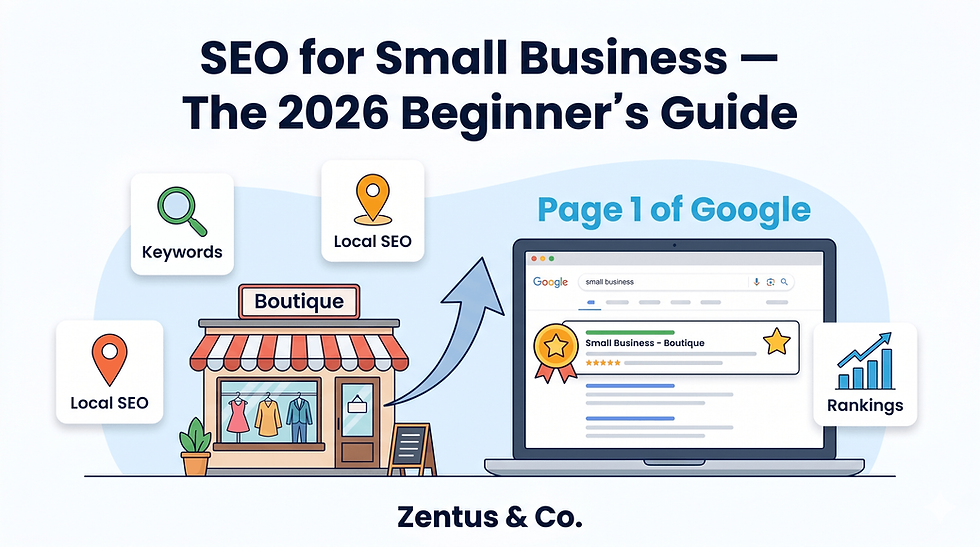
Most SEO advice written for small businesses was created by tool vendors with a product to sell. The result? Guides that recommend $300-per-month software suites to a business owner who has 45 minutes a week for marketing.
SEO for small business in 2026 does not require expensive tools. It requires getting five foundational things right — your Wix Studio technical setup, your Google Business Profile, your service pages, your site speed, and your local signals. Do those five things consistently, and a small business with a two-year-old domain can outrank a larger competitor with a neglected website.
This guide covers exactly what works, specifically for businesses using Wix Studio or considering it, without recommending a single paid SEO tool you cannot afford to justify.
⬛ BOTTOM LINE BOX — Key Takeaways
SEO for small business works best when focused on local signals, service pages, and Google Business Profile — not expensive tools
Wix Studio provides out-of-the-box Core Web Vitals scores that match or exceed many WordPress builds — without plugin management
A small business in a local market can realistically reach page one for targeted keywords within 3 to 6 months of consistent work
Google Business Profile optimisation is the single highest-ROI SEO task for any business serving a local area
You do not need a blog to rank — but targeted service pages and a complete GBP profile are non-negotiable
Wix Studio's built-in SEO Setup Checklist covers 80% of what a small business needs to get indexed and ranking

Is SEO Worth It for a Small Business Starting Out?
For most small businesses, SEO is the highest long-term return on investment of any marketing channel — but only if you target the right keywords and build the right foundations first.
Pay-per-click advertising stops the moment you stop paying. SEO compounds. A well-optimised service page written in 2026 can still generate enquiries in 2028 without additional spend.
Is SEO worth it for a small business with a new website?
Yes — SEO is worth pursuing from day one, but the strategy must match where your site is in its authority lifecycle. A brand-new Wix Studio website should not target broad, high-volume keywords like "plumber" or "accountant." The correct starting strategy is hyper-local and hyper-specific: keywords like "emergency plumber in [your town]" or "accountant for sole traders in [your city]."
New sites with zero backlinks can still rank for these long-tail, location-specific queries because most local competitors have weak, outdated websites. Google is actively looking for pages that specifically answer the searcher's query — and a well-structured local service page on Wix Studio can rank within 60 to 90 days for the right keyword.
The three prerequisites for a new site are: correct technical setup, a verified Google Business Profile, and at least 4 to 6 fully-built service pages with unique content. Without these, SEO work is premature.
What is the single most important SEO task for small businesses?
Completing and actively managing your Google Business Profile (GBP) is the single most impactful SEO action for any business serving a local area. Nothing else generates as fast a return for as little effort.
A fully optimised GBP — with correct categories, service descriptions, photos, business hours, and regular posts — positions your business in the Google Maps "Local Pack." The Local Pack appears above standard organic results on mobile searches. For service businesses, restaurants, clinics, and retail shops, appearing in the Local Pack is worth more than ranking position 3 in organic results.
If you only have one hour per week for SEO, spend it on your GBP. Update it weekly with a post, add new photos monthly, and respond to every review within 24 hours.
What Most Small Business SEO Guides Get Wrong
The vast majority of small business SEO content is written from a vendor perspective, not an operator perspective. This section identifies the exact gaps that leave small business owners confused, overwhelmed, and spending money they do not need to spend.
Why do small business owners abandon SEO after one month?
Small business owners abandon SEO within the first 30 days because every guide they read recommends starting with tasks that are either too technical, too expensive, or too slow to show any visible result. The classic onboarding pattern goes: install a plugin, run a site audit, find 200 "errors," fix none of them because you do not understand what they mean, give up.
The correct starting point is not a site audit. It is four tasks in order: verify Google Search Console, submit your sitemap, complete your Google Business Profile, and optimise your three most important service pages. These four tasks can be completed in a weekend. They produce measurable results — impressions in Search Console within two weeks.
Complexity kills momentum. The best SEO strategy for a time-poor small business owner is the one they will actually maintain for six months.
Working exclusively in Wix Studio, the setup step most new clients overlook is connecting Google Search Console before submitting the sitemap. Wix generates a sitemap automatically at yoursite.com/sitemap.xml, but if Search Console is not verified first, the submission has no destination. This single sequencing error delays indexing by weeks.
How is Wix Studio SEO different from WordPress SEO?
Wix Studio SEO is meaningfully different from WordPress SEO in two important ways: Wix handles technical SEO automatically, while WordPress requires you to configure it manually through plugins. For a small business owner without a developer, this distinction matters enormously.
On WordPress, correct SEO setup requires installing Yoast or RankMath, configuring an XML sitemap, setting canonical URLs, enabling schema markup, and managing Core Web Vitals through additional plugins like WP Rocket or Smush. Each plugin adds complexity, maintenance overhead, and potential conflicts.
Wix Studio handles canonical URLs, XML sitemaps, SSL certificates, structured data, mobile responsiveness, and hosting infrastructure automatically. The result is that a Wix Studio small business site is technically SEO-ready on launch day — without touching a single line of code or installing a plugin.
The trade-off is customisation depth. For enterprise-level sites requiring extremely granular technical SEO control, WordPress with a developer is more flexible. For a local service business, accountancy firm, restaurant, or boutique retailer, Wix Studio's native SEO capabilities are more than sufficient — and the time saved on technical maintenance is better spent creating content.
For a detailed platform comparison, read our full Wix vs WordPress SEO breakdown which covers this topic specifically for small business operators.

Wix Studio SEO Setup — The Non-Technical Foundation
Getting Wix Studio's SEO foundations right takes approximately 3 to 4 hours the first time and requires no technical knowledge. These are the settings most small business owners skip — and they are the reason many Wix sites fail to get properly indexed.
How does the Wix SEO Setup Checklist work?
Wix Studio's built-in SEO Setup Checklist walks you through every critical technical setting in a guided, step-by-step format inside your dashboard. It is accessed from the Marketing & SEO section of your Wix backend and covers site verification, sitemap submission, indexing permissions, structured data, and meta tags.
The checklist prompts you to:
Connect a custom domain (required for Google to index your site properly)
Verify Google Search Console (essential for tracking impressions and identifying indexing issues)
Submit your sitemap (tells Google every page on your site exists)
Set your site language (affects international search targeting)
Add metadata to key pages (title tags and meta descriptions for homepage, service pages)
Enable structured data (Wix automatically generates basic schema markup for business information)
The entire checklist takes approximately 90 minutes for a first-time user. Once complete, your site is technically ready for Google to crawl and index. Most competitors on other platforms spend days getting to this same baseline.
Our Wix Studio services page explains how we set up SEO foundations for new client builds as part of every project — you can see exactly what is included if you prefer to have it done professionally.
What are Wix Studio's Core Web Vitals scores out of the box?
Wix Studio sites achieve strong Core Web Vitals scores by default because the platform runs on Google Cloud infrastructure with automatic image optimisation, lazy loading, and server-side rendering built in — no configuration required.
Google's Core Web Vitals measure three things: Largest Contentful Paint (LCP — how fast the main content loads), Interaction to Next Paint (INP — how quickly the page responds to clicks), and Cumulative Layout Shift (CLS — how stable the layout is while loading).
Wix Studio's infrastructure typically delivers:
LCP under 2.5 seconds on optimised builds (Good threshold: under 2.5s)
INP under 200ms on standard page interactions
CLS near 0 due to structured layout rendering
The caveat is that these scores depend on how the site is built. Embedding large uncompressed video files, using excessive third-party scripts, or installing numerous Wix apps can degrade performance. Our detailed Wix site speed guide covers exactly which elements slow down Wix Studio builds and how to fix them.
For a complete guide on getting the most from Wix Studio as a small business platform, our post on Wix Studio for small business covers the full platform capability in practical terms.

Local SEO for Small Business — Google Business Profile and Beyond
Local SEO is the fastest-return SEO investment available to any small business. For businesses that serve a geographic area — whether that is a single city, a region, or a country — local signals determine whether you appear in the Google Maps pack and the "near me" results that generate the majority of local service enquiries.
How do I optimise my Google Business Profile for local search?
A fully optimised Google Business Profile requires completing nine specific sections — most businesses fill in four and wonder why they do not appear in the local pack. Here is the complete optimisation sequence:
Business name — Use your exact legal or trading name. Do not stuff keywords into it. Google penalises this.
Primary category — Choose the most specific category available (e.g., "Family Law Attorney" not just "Lawyer")
Secondary categories — Add up to 9 secondary categories covering your other services
Service areas — List every city, town, or postcode you serve
Services section — Add every service with a description of 150-200 words per service
Business description — Write 750 characters covering what you do, who you serve, and your location
Photos — Minimum 10 photos: exterior, interior, team, work examples, logo
Posts — Publish one GBP post per week (update, offer, or event)
Q&A section — Add and answer your own frequently asked questions pre-emptively
The businesses that dominate local pack results are not the most established — they are the most maintained. A newer business with a fully optimised, actively managed GBP will outrank a 10-year-old business with a stale, incomplete profile.
Do small businesses need citations in UK directories?
Yes — UK businesses still benefit from citations in authoritative local directories, but the list of directories that actually matter in 2026 is shorter than most guides suggest. Priority directories for UK small businesses:
Consistency is more important than volume. Your business name, address, and phone number (NAP) must be identical across every directory. Even small discrepancies — "St." vs "Street," or a phone number formatted differently — send inconsistent signals to Google and reduce local pack ranking confidence.
For US businesses, equivalent priority directories include Google Business Profile, Bing Places, Yelp, Apple Maps, and industry-specific directories (Avvo for lawyers, Healthgrades for medical).

Content Strategy for Small Businesses With Limited Time
A small business owner does not need to publish four blog posts a week to rank. In 2026, Google rewards depth and relevance over frequency. One well-researched, thoroughly-written service page is worth more than ten thin blog posts.
How many blog posts does a small business need per month?
One to two blog posts per month is the correct publishing cadence for most small businesses — provided each post is 1,500 words minimum, targets a specific search query, and is properly optimised before publishing.
The instinct to publish more frequently is understandable but counterproductive without the infrastructure to support it. A blog post that goes live without a correct title tag, meta description, internal links, and image alt text will not rank regardless of how often you publish.
The 2026 content priority for small businesses:
Service pages first (1 per service, 800-1,200 words each, fully optimised)
Location pages second (1 per city/area you serve, 600-800 words each)
FAQ pages third (answer the 10 most common questions your customers ask)
Blog posts fourth (target long-tail informational queries your customers search for)
Most small businesses do not have service pages that are long enough or specific enough. A service page titled "Web Design" with 200 words of text will not rank. The same page with 900 words covering what is included, who it is for, typical costs, the process, and an FAQ will.
Can service pages rank without a blog?
Yes — service pages can rank without a blog, and for most local service businesses, well-optimised service pages will generate more revenue than a blog ever will. A plumber does not need to blog about "the history of copper piping." They need a service page for "emergency boiler repair in [city]" that is better than every competitor's equivalent page.
The businesses that rank purely on service pages share three characteristics:
Each service has its own dedicated page (not one page listing all services in bullet points)
Each page targets a specific search query in its title tag and H1
Each page answers the buyer's core questions — what is included, how much it costs, and how to book
A blog becomes valuable when all service pages are fully optimised and you want to capture informational queries ("how much does a boiler service cost") that build awareness before a purchase decision. Until then, fix the service pages.

Technical SEO Checks Every Small Business Should Run Monthly
Technical SEO does not require weekly audits or expensive tools. For a small business on Wix Studio, a 30-minute monthly check covers everything that matters.
How do I check if my Wix site is mobile-friendly?
Google's Mobile-Friendly Test tool (search.google.com/test/mobile-friendly) gives you a pass/fail result in under 60 seconds. Enter your URL, run the test, and Google will flag any elements that fail on mobile viewports.
Wix Studio sites use responsive design by default, meaning the mobile layout is generated automatically from your desktop layout. However, certain customisations can break mobile display — particularly:
Text blocks that are positioned absolutely rather than in flex containers
Image overlays that extend beyond mobile screen width
Custom button sizes that are too small for touch targets (minimum 44x44px)
Pop-up forms that are not mobile-optimised
In Wix Studio's editor, you can switch to mobile preview mode and check every page manually. If something looks broken on mobile, it looks broken to Google — and mobile is how the majority of local searches are conducted.
Run this check monthly, especially after adding new sections or pages. Also check via Google Search Console under the "Mobile Usability" report — this shows you any pages Google has flagged as failing mobile standards.
What is schema markup and does Wix support it?
Schema markup is structured data code that tells Google what type of content your page contains — and yes, Wix Studio supports it natively for the most important schema types. Schema does not directly improve rankings, but it increases the chance of appearing as a rich result (star ratings, FAQ boxes, event listings) in Google search.
Wix Studio automatically generates the following schema types without any manual setup:
LocalBusiness schema — for business name, address, phone, opening hours
Article schema — for blog posts
BreadcrumbList schema — for navigation path
Product schema — for e-commerce product pages
For FAQ schema — which enables FAQ dropdown boxes to appear beneath your search result — you need to add it manually via the Wix Advanced SEO settings or through structured data markup in your page settings. This is worth doing for your most competitive pages.
Review our Wix site speed guide alongside this technical check — site speed and schema are the two most frequently overlooked technical factors in Wix Studio builds.
The most common configuration issue we see in small business Wix builds is LocalBusiness schema that lists an incorrect or missing phone number — often because the business phone number was updated on the website but the structured data was never refreshed. Check your structured data at schema.org/validator every 3 months.

The Angle Other Sources Miss About Small Business SEO
Every mainstream small business SEO guide covers keywords, meta tags, and backlinks. Almost none of them address the single biggest reason small businesses fail to rank despite doing everything correctly on paper: content written for search engines instead of for buying customers.
Why do service pages with "correct" SEO still fail to rank?
Service pages fail to rank despite correct on-page SEO because they are written to satisfy a technical checklist, not to satisfy a buyer who is three minutes away from making a phone call. Google's ranking algorithm in 2026 is sophisticated enough to distinguish between a page that answers a buyer's actual questions and a page that simply contains the right keywords in the right places.
The tells are specific. A service page written for a search engine says: "We offer professional [service] solutions tailored to your unique business needs." A service page written for a buyer says: "This service covers X, Y, and Z. It takes 3 weeks. It costs between $800 and $2,500. Here is what happens on day one."
Google rewards pages that reduce buyer uncertainty. The exact questions buyers have before contacting a service business are:
How much does this cost? (Give a range. Do not say "contact us for a quote" without any figure.)
How long does it take?
What do I actually get?
Why should I trust you over a competitor?
What happens after I contact you?
A service page that answers all five of these questions will outrank a technically-optimised page that answers none of them.
Why Wix Studio's page structure gives small businesses a hidden SEO advantage
Wix Studio's block-based editor naturally encourages the type of page structure that Google rewards in 2026 — clear content sections, consistent heading hierarchy, and isolated content containers that AI systems can extract cleanly. This is not accidental. Wix's platform architecture aligns with how Google's systems process structured content.
Pages built in Wix Studio's section-based editor produce clean HTML heading hierarchies (H1 → H2 → H3) automatically. Unlike drag-and-drop editors where headings can be visually placed anywhere regardless of document structure, Wix Studio maintains logical content order. This matters because Google's crawlers read content in document order — not visual order.
The practical implication: a small business on Wix Studio that follows basic content structure guidelines is already ahead of competitors on platforms where developers have accidentally broken the heading hierarchy through visual customisation.
This is the technical advantage most Wix Studio guides never mention — and it is one of the reasons we chose to specialise exclusively in Wix Studio for our Wix Studio services.
How Long Does Small Business SEO Take to Show Results?
Small business SEO timelines are predictable when you understand what Google's algorithm is actually measuring during each phase of a new site's life.
How long does local SEO take for a small business?
Local SEO for a small business typically produces visible results — movement in Google Maps rankings and increased Search Console impressions — within 6 to 12 weeks of completing the foundational setup. Page one organic rankings for local keywords typically follow at 3 to 6 months.
The timeline breaks down by phase:
Phase | Timeframe | What Happens |
Indexing | Week 1-2 | Google crawls and indexes your site after sitemap submission |
GBP Verification | Week 2-3 | Google Business Profile goes live after verification |
Initial impressions | Week 3-6 | Pages start appearing in Search Console (position 30-100) |
First ranking movements | Month 2-3 | Target pages move from position 50+ to position 15-30 |
Local pack entry | Month 3-5 | Business appears in Maps results for primary service area |
Page one organic | Month 4-6 | Targeted local pages reach positions 6-10 |
Top 3 organic | Month 6-12 | Sustained content, backlinks, and GBP activity required |
These timelines assume: correct technical setup from day one, a fully optimised GBP, service pages targeting specific local queries, and consistent monthly activity (1 blog post, 4 GBP posts, 1-2 new photos, and review collection).
For context on what investment this requires, our post on small business website costs covers the full breakdown of website and SEO investment for US businesses, and our UK website costs guide covers the same for British businesses. Understanding website design pricing alongside SEO investment helps you plan your total digital budget.
Why did my rankings drop after a website redesign?
Rankings drop after a website redesign almost always for one of three specific reasons: URLs changed without 301 redirects, meta tags were reset to defaults, or internal links broke during the migration. Each of these is preventable with a pre-launch checklist.
The most damaging scenario is URL structure changes without redirects. If your old service page was /services/web-design and your new site uses /web-design-services, Google treats these as two entirely different pages. All the ranking authority built by the old URL is lost — until a 301 redirect is set up that tells Google the old page has permanently moved.
Wix Studio handles 301 redirects through the Marketing & SEO → SEO Tools → URL Redirect Manager section of your dashboard. Before launching any redesigned site, audit every important URL, map old URLs to new URLs, and implement redirects in this tool before going live.
The second most common cause of post-redesign ranking drops is meta tags reverting to defaults during the build. Check every page's title tag and meta description after launch using Google Search Console's URL Inspection tool.

Frequently Asked Questions About SEO for Small Business
Should I hire an SEO agency or manage it myself?
Manage it yourself initially if your budget is under $500/month — put that money into a well-built website with strong service pages instead. Basic SEO (GBP optimisation, on-page meta tags, sitemap submission, and service page content) is learnable in a weekend and executable in 2-3 hours per month. Hiring an agency makes sense when you have strong foundations, understand what results to expect, and need content production or link-building at scale. Never hire an agency that cannot explain specifically what they will do each month and how they will measure it.
Is Wix SEO good enough to compete with larger sites?
Yes — Wix Studio SEO is good enough for small businesses to compete with, and often outrank, larger competitors in local search. The majority of locally-competing businesses are on outdated WordPress installs with poor Core Web Vitals, thin service page content, and neglected Google Business Profiles. A well-built Wix Studio site with strong local content and an active GBP will consistently outperform larger sites that lack geographic specificity. Wix Studio's advantage is its technical baseline — SSL, fast hosting, mobile responsiveness, and sitemap generation are handled automatically.
How do I find the right keywords for my small business?
Start with Google's own search suggestions — type your service and city name into Google and note every autocomplete suggestion. These are real searches people make. Then check Google's "People Also Ask" boxes for your main query and the "Related Searches" at the bottom of page one. This free research identifies exactly what your local customers are typing. Prioritise keywords where Reddit threads, forums, or small local business websites appear in the top results — these are gaps Google is trying to fill with a dedicated page, and your page can be that answer.
How much does small business SEO cost per month?
Small business SEO managed in-house costs $0 in tools if you use Wix's built-in features, Google Search Console (free), and Google Analytics (free). If outsourced to a freelancer, expect $300-$700/month for basic local SEO. A full-service agency typically starts at $1,000-$2,500/month. The correct investment depends on your market competitiveness and revenue target. A business in a low-competition local market can get to page one through in-house effort alone. A business competing in a dense urban market with 50+ direct competitors will likely need external help for content production and link acquisition.
How do I get my Wix site to show up on Google?
Submit your Wix sitemap to Google Search Console within 24 hours of launching your site. Your sitemap URL is yourwixdomain.com/sitemap.xml. In Search Console, go to Sitemaps → enter that URL → Submit. Google will begin crawling your site within 1-2 weeks. Additionally, verify your Google Business Profile if you serve a local area — this creates a second indexed entity (your GBP listing) that appears in Maps and local pack results independently of your website's organic ranking. Both steps are free and take under 30 minutes combined.
What is the difference between local SEO and regular SEO for small businesses?
Local SEO targets searches with geographic intent — "plumber near me," "accountant in Bristol" — while regular organic SEO targets topic-based searches without location. For any business serving a defined geographic area, local SEO should take priority because it targets buyers, not browsers. Local SEO uses Google Business Profile, citation directories, location-specific service pages, and localised content. Regular organic SEO uses broader content strategy and backlink acquisition. Most small businesses should build local SEO foundations first (months 1-6), then expand into broader content strategy once local rankings are established.
How many pages does a small business website need for good SEO?
A small business website needs a minimum of 6 to 10 pages to have a strong SEO foundation in 2026. The mandatory pages are: Homepage, About, Contact, one page per core service (minimum 3-5), and a Terms/Privacy page. Optional but high-value additions include: individual location pages (one per city or area served), an FAQ page targeting common questions, and a blog for long-tail informational content. More pages only help if each page targets a distinct keyword and contains unique, useful content. Thin pages with duplicate content across your own site harm rankings rather than help them.
Ready to Build an SEO-Ready Wix Studio Website?
You now know exactly what SEO for small business requires in 2026 — and none of it involves expensive tools or complicated technical work. It requires the right foundations, targeted local content, a maintained Google Business Profile, and consistent effort over 3 to 6 months.
If you want that foundation built correctly from day one — with the right page structure, technical SEO setup, and service page architecture already in place — that is exactly what we do at Zentus & Co. We build Wix Studio websites for small businesses globally, and every build includes SEO setup as standard. We work remotely with businesses across the USA, UK, Canada, Australia, and Europe.
No commitment required. We respond within 24 hours.


Comments