


How to Increase Online Sales: 12 Website Changes That Actually Work

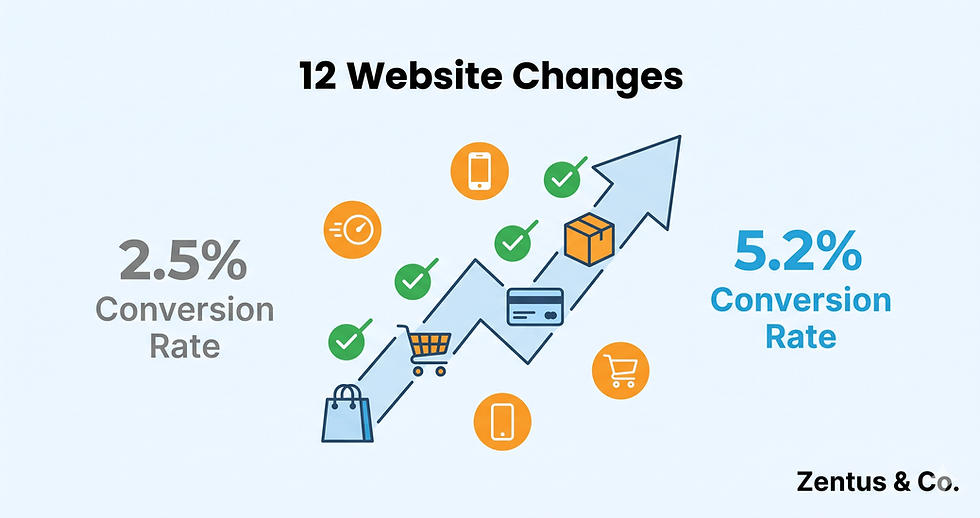
Quick Answer: To increase online sales, focus on these proven website changes: optimize your checkout process to reduce cart abandonment (average 40% conversion lift), improve product page layouts with clear CTAs and trust signals (25-35% lift), ensure mobile responsiveness (53% lift for mobile traffic), and increase site speed to under 3 seconds (32% average improvement). The average ecommerce conversion rate in 2026 is 2.5-3%, but implementing these 12 website optimizations can boost your rate to 4-7% within 60-90 days.
Your online store gets decent traffic, but sales are disappointing. You are not alone. The average ecommerce conversion rate in 2026 sits at just 2.58%, meaning 97 out of 100 visitors leave without buying. The problem is not your products or your traffic source. It is your website.
Small friction points — a confusing checkout button, slow loading images, or missing trust signals — silently kill conversions every single day. The good news? Most ecommerce websites make the same 12 mistakes, and fixing them can double or even triple your conversion rate without spending a dollar on ads.
This guide reveals the exact website changes that increase online sales, ranked by impact and effort. Each change includes implementation steps specifically for Wix Studio ecommerce sites, the psychology behind why it works, and realistic conversion lift data based on 2024-2026 studies. Whether you are converting at 1% or 3%, these optimizations will move you toward the top-performer benchmark of 5-7%.
Website Changes That Increase Online Sales Fast
The first four changes deliver the highest ROI with minimal effort. These are your quick wins. Implement them this week and you will likely see measurable improvement within 7-14 days.
1. Simplify Your Checkout Process to Reduce Cart Abandonment
The average shopping cart abandonment rate in 2026 is 70.19%, according to Baymard Institute. That means 7 out of 10 people who add items to their cart never complete the purchase. The primary culprit? A complicated, multi-step checkout process that asks for too much information.
Why it works: Every additional form field reduces conversion rates by an average of 4-5%. The longer the checkout process, the more time customers have to reconsider, comparison shop, or simply get frustrated and leave. Friction equals abandonment.
How to implement on Wix Studio:
Use Wix's one-page checkout option (Settings → Checkout → Enable Express Checkout)
Reduce required form fields to only essentials: email, shipping address, payment method
Enable guest checkout — do not force account creation before purchase
Add a progress indicator if you must use multi-step checkout
Enable autofill for address fields
Show cart summary with product images on checkout page (not just text list)
Expected conversion lift: 35-45% reduction in cart abandonment, which typically translates to a 20-30% increase in completed sales.
Common mistake to avoid: Requiring account creation before checkout. Studies show this single requirement can reduce conversions by up to 23%.

2. Add Clear, Action-Oriented Call-to-Action Buttons
Generic buttons like "Submit" or "Continue" do not tell customers what happens next. Specific, benefit-focused CTAs like "Get My Order" or "Complete Purchase" reduce hesitation and improve click-through rates by 20-30%.
Why it works: Clarity reduces cognitive load. When a customer knows exactly what happens when they click, they are more likely to click. Action-oriented language also creates momentum and urgency.
How to implement on Wix Studio:
Edit your product page buttons: replace "Add to Cart" with more specific options like "Add to Bag" or "Buy Now"
On cart page, use "Proceed to Checkout" instead of "Checkout"
On checkout page, use "Complete My Order" or "Place Order Securely" instead of "Submit"
Use contrasting button colors (test orange or green against your brand colors)
Make buttons large enough for mobile taps (minimum 44x44 pixels)
Place primary CTA buttons above the fold on product pages
Expected conversion lift: 15-25% improvement in add-to-cart rate and 10-15% improvement in checkout completion.
Common mistake to avoid: Using multiple competing CTAs on one page. One primary action per page or section works best.
3. Optimize Website Speed to Under 3 Seconds
A 1-second delay in page load time reduces conversions by 7%, according to Google. In 2026, with 63% of ecommerce traffic coming from mobile devices, speed optimization is not optional. It is essential to increase online sales.
Why it works: Speed equals trust. Slow websites signal unprofessionalism and make customers question if the site is secure. Fast websites feel modern, reliable, and trustworthy. Plus, impatient shoppers will not wait. 53% of mobile visitors abandon sites that take longer than 3 seconds to load.
How to implement on Wix Studio:
Use Wix's built-in image optimizer (automatically enabled for new images)
Compress existing images before upload using TinyPNG or Wix's Media Manager
Limit the number of Wix apps or widgets on product pages (each adds load time)
Enable lazy loading for images (Settings → Advanced → Performance)
Use Wix's automatic CDN (enabled by default)
Remove unnecessary animations or videos above the fold
Test speed using Google PageSpeed Insights and aim for 90+ mobile score
Expected conversion lift: 25-35% improvement for mobile traffic; 15-20% for desktop traffic.
Common mistake to avoid: Using massive hero images or autoplaying videos on product pages. These destroy load times and annoy mobile users.
4. Make Your Site Fully Mobile-Responsive
Mobile commerce accounts for 58% of all ecommerce sales in 2026 (Statista), yet many online stores still treat mobile as an afterthought. A poor mobile experience is a conversion killer.
Why it works: If customers have to pinch, zoom, or scroll horizontally to view your products, they will leave and buy from a competitor with a better mobile experience. Mobile users are often closer to purchase intent — browsing while commuting, in-store price checking — than desktop users.
How to implement on Wix Studio:
Use Wix Studio's responsive editor (not the old mobile editor)
Test every product page on an actual phone, not just the desktop preview
Ensure text is readable without zooming (minimum 16px font size)
Make tap targets large (buttons, links, product images)
Simplify navigation — use a hamburger menu for mobile
Enable Wix's mobile-optimized checkout
Remove pop-ups on mobile (or use exit-intent only)
Test checkout flow on mobile from start to finish
Expected conversion lift: 40-55% improvement for mobile visitors.
Common mistake to avoid: Assuming Wix's automatic mobile optimization is perfect. Always test manually on real devices.

Product Page Optimization to Boost Ecommerce Conversions
Your product pages do the heavy lifting of converting browsers into buyers. These next three changes focus on what separates a 1% converting product page from a 5% converting one.
5. Use High-Quality Product Images with Zoom Functionality
Customers cannot touch or try your products online, so images must do the selling. Pages with 5+ high-quality images convert 30% better than pages with 1-2 images (Shopify data).
Why it works: Detailed images reduce uncertainty and build confidence. The more a customer can "experience" the product visually, the more comfortable they feel making a purchase. Zoom functionality mimics the in-store experience of examining products up close.
How to implement on Wix Studio:
Upload minimum 5 images per product: front, back, side, detail shots, lifestyle context
Use Wix's product gallery with zoom enabled (default for Wix Stores)
Ensure images are 1200px minimum on longest side for zoom clarity
Use consistent white or neutral backgrounds for product shots
Add lifestyle photos showing the product in use
Enable 360-degree view for high-ticket items if possible
Compress images to balance quality and load speed (aim for under 200KB per image)
Expected conversion lift: 25-35% for stores upgrading from poor-quality or limited images.
Common mistake to avoid: Using supplier photos only. Add real lifestyle images that show scale, context, and real-world use.
6. Write Benefit-Focused Product Descriptions
Most product descriptions are boring feature lists. Top-converting descriptions tell customers how the product improves their life, not just what it is.
Why it works: People do not buy features. They buy outcomes and feelings. A description that says "This planner has 180 pages and monthly spreads" is forgettable. A description that says "Finally stop missing deadlines and feel in control of your week" sells a transformation.
How to implement on Wix Studio:
Start with the primary benefit in the first sentence
Use short paragraphs (2-3 sentences max) and bullet points
Address common objections ("Worried it will not fit? It comes in 4 sizes...")
Use sensory language ("buttery soft fabric" not "high-quality material")
Include a size chart or FAQ section right on the product page
Add specifications section AFTER benefits
Use Wix's "Additional Info" section for technical specs
Expected conversion lift: 15-20% for stores with generic descriptions.
Common mistake to avoid: Writing for search engines instead of humans. Use keywords naturally, but prioritize persuasion over SEO.
7. Display Trust Signals and Social Proof Above the Fold
83% of online shoppers look for trust signals before purchasing from a new website (Baymard Institute). Without them, even great products will not sell.
Why it works: Trust signals reduce perceived risk. Online shoppers worry about fraud, product quality, and whether they will actually receive what they ordered. Visible security badges, reviews, and guarantees calm these fears.
How to implement on Wix Studio:
Add security badges near "Add to Cart" button (SSL, payment icons)
Enable Wix Product Reviews app and display reviews on every product page
Show review count and average rating in product gallery area
Add trust statements: "Free Returns," "Secure Checkout," "Money-Back Guarantee"
Include customer testimonials with photos (if available)
Display "As Seen In" logos if your products have been featured
Add trust bar to header: "Free Shipping Over $50 | 30-Day Returns | 24/7 Support"
Expected conversion lift: 20-30% for new or lesser-known brands.
Common mistake to avoid: Using fake trust badges or review counts. It is illegal and customers can spot it immediately.

Comparison: Low-Converting Store vs. High-Converting Store
Element | Low-Converting Store (1-2%) | High-Converting Store (5%+) |
Checkout Steps | 4-5 steps with account creation | 1-2 steps with guest checkout |
Product Images | 1-2 supplier photos | 5+ images with zoom and lifestyle shots |
Page Load Speed | 5+ seconds | Under 3 seconds |
Mobile Experience | Desktop-first, broken on mobile | Fully responsive, tested on real devices |
Trust Signals | None or hidden in footer | Visible above the fold on every page |
CTA Buttons | Generic "Submit" or "Continue" | Specific "Complete My Order" or "Buy Now" |
Shipping Costs | Hidden until final step | Shown on product page and cart |
Live Chat | Not available | Available on product and checkout pages |
Navigation | 10+ categories, deep nesting | 5-7 categories, max 2 levels deep |
Product Descriptions | Feature lists only | Benefit-focused with objection handling |
Urgency Signals | None | "Only 3 left" and countdown timers |
Return Policy | Hard to find | Displayed on product page and checkout |
Advanced Ecommerce Conversion Optimization Strategies
These changes require more setup time but deliver sustained conversion improvements for growing stores.
8. Implement Live Chat or Chatbot for Instant Support
Customers with questions convert 3x more often when they can get instant answers (Forrester Research). Live chat captures buyers at the moment of decision.
Why it works: Unanswered questions equal abandoned carts. Whether it is shipping cost, sizing, or compatibility concerns, giving customers a way to get answers in real-time removes purchase barriers.
How to implement on Wix Studio:
Add Wix Chat app (Settings → Chat → Enable)
Set up automated responses for common questions (shipping times, return policy, sizing)
Use chatbot during off-hours with "We will respond within 2 hours"
Display chat widget on product pages and checkout (not just homepage)
Monitor chat for common questions and add them to product descriptions
Set expectations: "Average response time: 5 minutes"
Expected conversion lift: 15-25% for stores selling complex or high-consideration products.
Common mistake to avoid: Enabling chat without actually monitoring it. Unanswered chat messages are worse than no chat at all.
9. Reduce Form Fields and Remove Unnecessary Distractions
Every form field, pop-up, and navigation link is a potential exit point. Conversion-focused design removes distractions and guides customers toward purchase.
Why it works: The paradox of choice. The more options you present, the harder it is for customers to make a decision. Simplified pages reduce cognitive load and keep attention on the primary action: buying.
How to implement on Wix Studio:
Limit top navigation to 5-7 main categories
Remove sidebar widgets on product pages
Hide header navigation on checkout pages (use logo-only header)
Reduce email signup pop-ups to exit-intent only
Remove "Related Products" from checkout process
Use single-column layout for product pages (eliminate sidebar)
Hide chat widget on checkout page
Expected conversion lift: 10-18% by reducing decision fatigue.
Common mistake to avoid: Adding too many upsells or cross-sells during checkout. Save these for post-purchase emails.
10. Show Real-Time Inventory and Urgency Signals
Scarcity and urgency are powerful psychological triggers. Showing limited stock or time-sensitive offers can boost conversions by 20-30%.
Why it works: FOMO (fear of missing out) motivates action. When customers see "Only 3 left in stock," they are more likely to buy now rather than risk it selling out.
How to implement on Wix Studio:
Enable inventory tracking in Wix Stores
Display "Only X left in stock" when inventory drops below 10 units
Add countdown timers for flash sales (use Wix app or custom HTML)
Show "X people viewing this item" (if using third-party apps)
Use "Back in stock" notifications via email
Display shipping cutoff times: "Order in next 3 hours for same-day shipping"
Expected conversion lift: 20-30% for limited-edition or seasonal products; 10-15% for evergreen inventory.
Common mistake to avoid: Using fake urgency. If you say "Only 2 left" but it is always "only 2 left," customers will notice and lose trust.
Website User Experience That Increases Conversion Rates
These final changes focus on overall user experience improvements that make your entire website more conversion-friendly.
11. Improve Site Navigation and Search Functionality
58% of shoppers leave a website if they cannot find what they are looking for within 30 seconds (Forrester). If customers cannot find products, they cannot buy them.
Why it works: Friction-free navigation signals professionalism and respects the customer's time. Easy-to-find products equal higher purchase intent.
How to implement on Wix Studio:
Use descriptive category names (not creative jargon)
Add search bar to header on all pages
Enable product filtering (by price, size, color, category)
Create "Shop by" options: Shop by Style, Shop by Room, Shop by Price
Add breadcrumb navigation (Product Category → Subcategory → Product)
Use mega menu for stores with 20+ products
Add "Quick Shop" button on collection pages (buy without leaving the page)
Expected conversion lift: 12-20% for stores with 30+ products.
Common mistake to avoid: Overly complex category structures with 4+ levels of nesting. Keep it simple: Main Category → Subcategory → Product.
12. Add Transparent Shipping Costs and Delivery Estimates
Unexpected shipping costs are the number one reason for cart abandonment, cited by 48% of shoppers (Baymard Institute). Showing costs upfront prevents sticker shock at checkout.
Why it works: Transparency builds trust. When customers know total cost early, they are mentally prepared to pay. Surprise fees at checkout feel like bait-and-switch.
How to implement on Wix Studio:
Display shipping costs on product pages or in cart preview
Offer free shipping threshold: "Free shipping on orders over $75"
Show estimated delivery date on product pages
Add shipping calculator to cart page
Display all costs (subtotal, shipping, tax) before requiring payment info
Use Wix Stores shipping rules to automate calculations
Offer multiple shipping speeds with price comparison
Expected conversion lift: 25-35% reduction in cart abandonment.
Common mistake to avoid: Hiding shipping costs until the final checkout page. This feels deceptive and kills conversions.
Ecommerce Conversion Rate Benchmarks for 2026
Before you start optimizing, know where you stand. Here are average conversion rates by industry (based on Growcode and Littledata 2024-2026 data):
Industry | Average Conversion Rate |
Food & Beverage | 4.9% |
Health & Wellness | 3.8% |
Fashion & Apparel | 2.4% |
Home & Garden | 2.2% |
Electronics | 1.9% |
Luxury Goods | 1.4% |
Overall Average | 2.5-3% |
Performance Tiers:
Poor: Below 1%
Below Average: 1-2%
Average: 2-3%
Above Average: 3-5%
Excellent: 5-7%
Top Performers: 7%+
If you are below 2%, start with changes 1-4 (quick wins). If you are at 2-3%, focus on product page optimization (5-7). If you are already above 3%, implement advanced strategies (8-12) to reach 5%+.

Who This Is Best For
This guide is perfect for:
Small to mid-size online store owners converting below 3% who need actionable, prioritized changes (not overwhelming 50-point checklists)
Wix Studio ecommerce users who want platform-specific implementation steps instead of generic advice
Business owners without a developer — all 12 changes can be implemented using Wix's native features
Stores getting traffic but not sales — if you are spending on ads but not converting, website optimization delivers better ROI than more traffic
DIY entrepreneurs who want to improve conversions before hiring an agency
This guide may not be right for:
Enterprise ecommerce businesses with custom-coded platforms (these tips are Wix Studio-focused)
Stores with less than 500 monthly visitors — you need traffic before you can optimize conversion rate
Brands needing advanced customization like complex subscription models or multi-currency support
Businesses looking for instant results — implementing all 12 changes takes 2-4 weeks, and measuring impact takes 30-60 days
Common Mistakes That Kill Ecommerce Conversions
Avoid these conversion killers that actually hurt your sales:
Autoplay Videos with Sound
Nothing drives visitors away faster than unexpected noise. Autoplaying videos reduce conversions by 12-18%. Use click-to-play only.
Aggressive Pop-Ups on First Visit
Exit-intent pop-ups are fine. But pop-ups that appear within 5 seconds of landing on your site reduce conversions by 8-15% and hurt SEO.
Requiring Account Creation Before Purchase
Guest checkout is essential. Forcing account creation before purchase can reduce conversions by up to 23%.
Too Many Product Options
The paradox of choice. Offering 30 color variations or 15 size options overwhelms customers. Limit options or use guided selectors ("Not sure which size? Take our quiz").
Hiding Return Policy or FAQ
Making customers hunt for your return policy signals you expect problems. Display it clearly on product pages and checkout.
Using Generic Stock Photos Only
Lifestyle images sell products; generic stock photos look lazy and reduce trust. Add real photos even if they are iPhone quality.
Complicated Pricing or Hidden Fees
If customers need a calculator to figure out final cost, you are losing sales. Show all costs upfront, including shipping and taxes.
How to Measure Your Conversion Improvements
After implementing these changes, track these metrics to measure impact:
Primary Metrics:
Overall Conversion Rate: Total orders ÷ total visitors × 100
Add-to-Cart Rate: Products added to cart ÷ product page views × 100
Cart Abandonment Rate: (Carts created - Orders completed) ÷ Carts created × 100
Checkout Abandonment Rate: (Checkout started - Orders completed) ÷ Checkout started × 100
Secondary Metrics:
Average Order Value (AOV)
Bounce Rate on product pages
Time on site
Mobile vs. Desktop conversion rates
Revenue per visitor
How to track on Wix:
Use Wix Analytics dashboard (Site → Analytics)
Enable Google Analytics 4 for deeper insights
Set up conversion tracking in Google Analytics
Check Wix Stores dashboard for cart abandonment rate
Timeline for results:
Week 1-2: Implement changes
Week 3-4: Begin seeing early signals (monitor daily)
Week 5-8: Measure statistical significance (need minimum 100 conversions)
Compare 30-day periods before and after implementation. A 0.5% conversion rate improvement can mean thousands in additional revenue.

Frequently Asked Questions About Increasing Online Sales
What is a good conversion rate for an online store in 2026?
The average ecommerce conversion rate in 2026 is 2.5-3%, but this varies significantly by industry. Food and beverage stores average 4.9%, while electronics stores average 1.9%. A "good" conversion rate is 3-5%, and top performers achieve 5-7% or higher. If you are currently below 2%, there is significant room for improvement using the 12 website changes outlined in this guide. Focus first on checkout optimization, site speed, and mobile responsiveness for the fastest improvements.
How long does it take to see conversion rate improvements?
Most website optimization changes show early signals within 7-14 days, but you need 30-60 days of data to measure statistical significance. Quick wins like simplifying checkout or improving site speed can show measurable improvement within 2 weeks. Deeper changes like adding comprehensive product reviews or optimizing all product descriptions may take 4-8 weeks to show full impact. Track your conversion rate weekly, but make decisions based on monthly trends to avoid overreacting to normal fluctuations.
Can I increase online sales without spending money on ads?
Absolutely. If your current conversion rate is below 3%, improving your website conversion rate delivers better ROI than buying more traffic. For example, if you get 5,000 monthly visitors and convert at 2% (100 sales), improving to 4% doubles your sales to 200 without any additional ad spend. All 12 changes in this guide can be implemented using Wix Studio's native features without additional cost. Focus on conversion optimization first, then scale traffic once you are converting efficiently.
What is the fastest way to reduce shopping cart abandonment?
The fastest cart abandonment fix is simplifying your checkout process. Enable one-page checkout, allow guest checkout (do not require account creation), and display all costs including shipping before the payment page. These three changes alone can reduce cart abandonment by 30-40%. Additionally, send automated cart abandonment emails 1 hour, 24 hours, and 72 hours after abandonment. These recover 10-15% of abandoned carts on average.
Do I need to hire a developer to implement these changes on Wix?
No. All 12 website changes in this guide can be implemented using Wix Studio's built-in features and native apps without any custom coding. Wix Studio's visual editor, Wix Stores settings, and Wix App Market provide everything you need. The changes range from simple (adjusting button text or enabling guest checkout) to moderate (setting up live chat or reorganizing navigation). If you are comfortable editing your Wix site, you can implement all of these yourself within 2-4 weeks.
How do mobile conversions compare to desktop conversions?
Mobile conversion rates average 1.8-2.2%, compared to 3.5-4.2% for desktop in 2026, despite mobile accounting for 58% of ecommerce traffic. This gap represents a massive opportunity. Improving mobile user experience can have outsized impact on total revenue. Focus on mobile-specific optimizations: ensure your site is fully responsive, simplify navigation for small screens, use large tap targets for buttons, optimize images for mobile load speed, and test the entire checkout flow on an actual smartphone.
Should I add all 12 changes at once or one at a time?
Implement in batches based on priority. Start with Quick Wins (1-4) in Week 1-2, then Product Page Optimization (5-7) in Week 3-4, then Advanced Strategies (8-12) in Week 5-8. This phased approach lets you measure the impact of each batch and avoid overwhelming yourself. If you change everything simultaneously, you will not know which changes drove results. The exception: if your conversion rate is critically low (under 1%), implement all checkout and mobile optimizations immediately regardless of testing protocols.
How much can I realistically increase my conversion rate?
Most ecommerce stores implementing these 12 changes see 40-120% improvement in conversion rate over 60-90 days. For example, moving from 1.5% to 2.5% is a 67% improvement, or from 2% to 4% is a 100% improvement. Stores starting below 1% often see the most dramatic improvements (150-200%+) because there is more low-hanging fruit. Stores already at 3-4% may see 20-40% improvements. Your actual results depend on your starting point, industry, traffic quality, and how thoroughly you implement each change.
Ready to Turn Your Traffic Into Revenue?
You do not need more visitors. You need a website that converts the visitors you already have. These 12 website changes can transform your online store from a traffic drain into a profit engine, increasing online sales by 40-120% in the next 60-90 days.
But implementing conversion optimization across your entire ecommerce site while running your business is challenging. That is where we come in.
At Zentus & Co., we specialize in building high-converting Wix Studio ecommerce websites designed specifically to turn browsers into buyers. We implement every optimization in this guide — checkout flow, mobile responsiveness, product page layouts, speed optimization, and trust signals — as standard practice in every store we build.
Whether you need a complete ecommerce website redesign or targeted conversion optimization on your existing Wix store, we will create a shopping experience that your visitors actually complete.
No commitment required. We respond within 24 hours with a detailed conversion analysis.


Comments